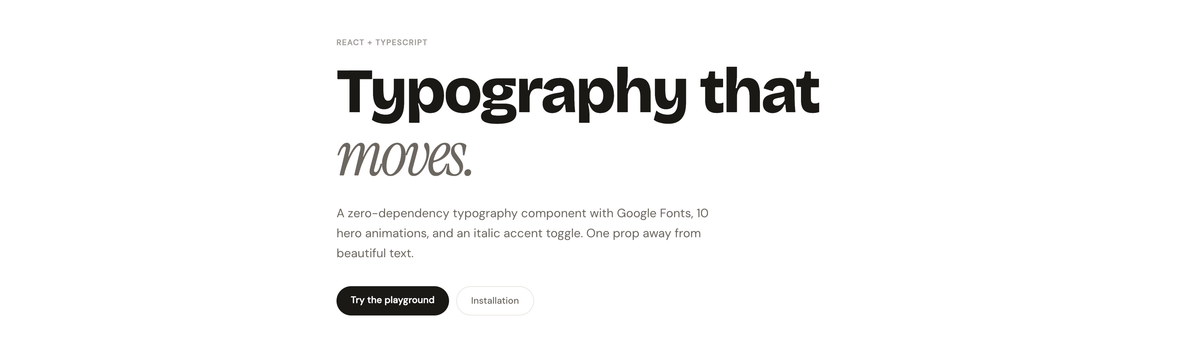
An open-source React + TypeScript typography component with Google Fonts auto-injection, 10 hero entrance animations, and a zero-dependency italic accent system.
Role — Solo · Design, Engineering & DX Stack — React · TypeScript · Rollup Published — npm · @edwinvakayil/calligraphy Type — Open Source npm Package
01 — The Problem
Full creative control without a design system
Every project I worked on needed expressive typography — headings that felt intentional, body copy that breathed, accent words that carried weight. But existing solutions forced a choice: use a heavy design system and accept its opinions, or wire up fonts, sizes, line-heights, and motion individually every single time.
There was no lightweight, composable primitive that let me say: "give me a Display heading, in this Google Font, with this entrance animation, and make that one word italic serif" — all from a single component with a clean TypeScript API.
I didn't want a design system. I wanted a sharp tool that did one thing perfectly: typography with motion, font control, and a good API.
The gap was specific: full-stack projects and portfolio work needed hero sections and landing pages that felt crafted, not generated. The overhead of assembling that stack from scratch on every project was real friction.
02 — Design Thinking
A two-axis model: scale + motion
The core design decision was to separate concerns into two independent axes: the typographic scale (what the text is) and the motion layer (how it enters). These are orthogonal — any variant can pair with any animation without one affecting the other.
The variant system Twelve variants cover the full editorial spectrum — Display and H1 through H6 for headings, Subheading and Overline for structural context, Body for prose, and Label and Caption for UI detail. Each variant maps to a semantic HTML tag and carries opinionated defaults for size, weight, line-height, and letter-spacing. None require a stylesheet — they are pure inline styles, portable across any React setup.
The italic accent The most deliberate visual decision was the optional italic accent: pairing a bold sans-serif heading with a single word in Instrument Serif italic. This creates editorial contrast — the kind seen in high-quality print design — without requiring the consuming engineer to think about font stacks or style conflicts.
The italic feature defaults to off. When enabled with italic={true}, the component pre-loads Instrument Serif via Google Fonts, then applies inline styles directly to the <em> element after render — guaranteeing the font switch works regardless of CSS specificity or load order.
The animation palette Ten entrance animations were designed with a clear brief: no glitch, no scramble, no chaos. Each has a personality — rise and swipe for clean universal entrances, clip and flip for editorial gravity, blur for cinematic softness, letters and typewriter for focused deliberate reveals. All use only transform, opacity, and filter — GPU-composited properties that never trigger layout recalculation.
03 — Engineering
Zero runtime dependencies, three hard problems
The package ships with zero runtime dependencies beyond React itself. No animation library, no font loader utility, no CSS-in-JS runtime. Every feature is implemented with browser primitives.
Problem 1 — Font injection without flash Google Fonts are loaded by injecting a <link> tag into <head>. A naive implementation injects on every render; the real implementation maintains a module-level Set of already-injected URLs and deduplicates before touching the DOM. Instrument Serif is always pre-loaded for hero variants — not conditionally on italic=true — so toggling the italic prop never triggers a font flash.
Problem 2 — Italic toggle without CSS specificity wars The first implementation used a CSS attribute selector ([data-rts-no-italic] em) to override italic styles. This was fragile: the injected stylesheet runs once, so toggling the italic prop mid-session left the original CSS rule in place with equal or higher specificity.
The fix eliminates CSS entirely for italic control. On the standard render path, React children are mapped and each <em> is cloned with explicit inline styles — which always win over stylesheets. On the animation path (dangerouslySetInnerHTML), a useEffect walks the DOM and stamps inline styles after every render.
Problem 3 — Animation re-fire on prop change CSS keyframe animations only play when the browser first sees the class on a DOM node. If React re-uses the same node between renders — which it does by default — changing the animation prop adds the class but the animation has already run and won't replay.
The fix is a key={animation} prop on the animated element. When animation changes, React unmounts the old node and mounts a fresh one, so the keyframe fires from frame zero every time.
04 — Developer Experience
A prop-driven API with zero configuration
The API was designed around one guiding principle: the consuming engineer should not need to know anything about how the internals work. Font loading, animation injection, italic font switching, and SSR safety are all handled inside the component.
The two-prop entry point The minimal usage is two props: variant sets the typographic role and semantic tag; font names a Google Font. Everything else has a sensible default. A developer can produce a typographically correct, animated hero heading in a single line of JSX — no setup, no CSS imports, no config files.
TypeScript-first Every prop is typed with purpose. The HeroAnimation union type enumerates all ten animation values — consuming engineers get autocomplete and a compile-time error if they mistype an animation name. TypographyVariant does the same for the scale. Both types are exported so external pickers are also fully typed.
Escape hatches No API is complete without graceful overrides. The as prop replaces the rendered HTML tag while preserving all visual styles. The style prop merges after all computed styles, giving the engineer the final word. truncate and maxLines handle text overflow without requiring any CSS knowledge.
05 — Outcomes & Learnings
12 typography variants · 10 hero animations · 40+ Google Fonts supported · 0 runtime dependencies
What shipped
- A fully typed React + TypeScript component published to npm as @edwinvakayil/calligraphy
- CJS + ESM dual build via Rollup with full .d.ts declaration output
- Ten GPU-composited CSS keyframe animations with a single prop API
- Automatic Google Fonts injection with SSR-safe deduplication
- Instrument Serif italic accent system driven entirely by inline styles
- A HeroPlayground demo component for use in any consuming application
What I learned
- CSS specificity is a runtime problem, not a compile-time one — inline styles are the only reliable guarantee when the injection order of stylesheets is unknown.
- React's DOM reuse is a feature, not a bug — but it requires deliberate key management when animation state needs to reset.
- Font pre-loading should be unconditional for features likely to be toggled. Conditional injection creates a race between user interaction and network.
- A package's API surface should be designed for the call site, not the implementation. The two-prop minimum usage was the last thing I designed and the most important decision I made.
npm i @edwinvakayil/calligraphy